
Most businesses do not need more AI tools. They need unfinished work to move, important context to stop disappearing, and reliable help that fits the way the company already operates.
A Private AI Office is a dedicated, governed environment where specialised AI assistants support defined business roles. It can monitor approved channels, organize knowledge, prepare work, follow procedures and coordinate tasks while sensitive actions remain subject to human approval.
A private AI office is an operating system, not a chat window.
A generic AI chat starts with a prompt and usually ends when the conversation does. A private office starts with the company: its services, departments, communication standards, approval rules, recurring work, documents and priorities.
The first useful assistant may have a narrow mandate. It could watch a shared inbox during business hours, flag urgent client messages, prepare a daily briefing, draft responses and remove obvious spam. Another could maintain a CRM, prepare invoice data or produce an executive operations summary.
The goal is not to make an assistant pretend to be a person. The goal is to give the business a dependable operating layer that knows what it may do, what it must escalate and what it should never touch without approval.
The difference is continuity.
Small and mid-sized companies often keep essential operating knowledge in inboxes, personal notes and the memories of busy people. When work is interrupted, a team member leaves or a new year begins, the same questions get researched and the same processes get rebuilt.
A well-designed AI office should become more useful as the company documents decisions—not forget the business every time a browser tab closes.
With a dedicated environment, the company can preserve approved procedures, decisions, templates and institutional context. That does not mean storing everything forever. It means defining what deserves to become durable company knowledge, what should expire and who can access it.
One assistant can become a digital department.
The most credible implementation begins with one role and a small number of measurable workflows. Once that role is stable, additional assistants can support other functions:
- Executive Office: priorities, briefings, meeting preparation and decision records.
- Email & Client Care: monitoring, urgency detection, drafting, follow-up and inbox hygiene.
- Sales & CRM: lead qualification, pipeline updates, opportunity summaries and outreach preparation.
- Invoicing & Admin: invoice preparation, document organization, reminders and reporting.
- Marketing & SEO: research, content systems, website operations and visibility monitoring.
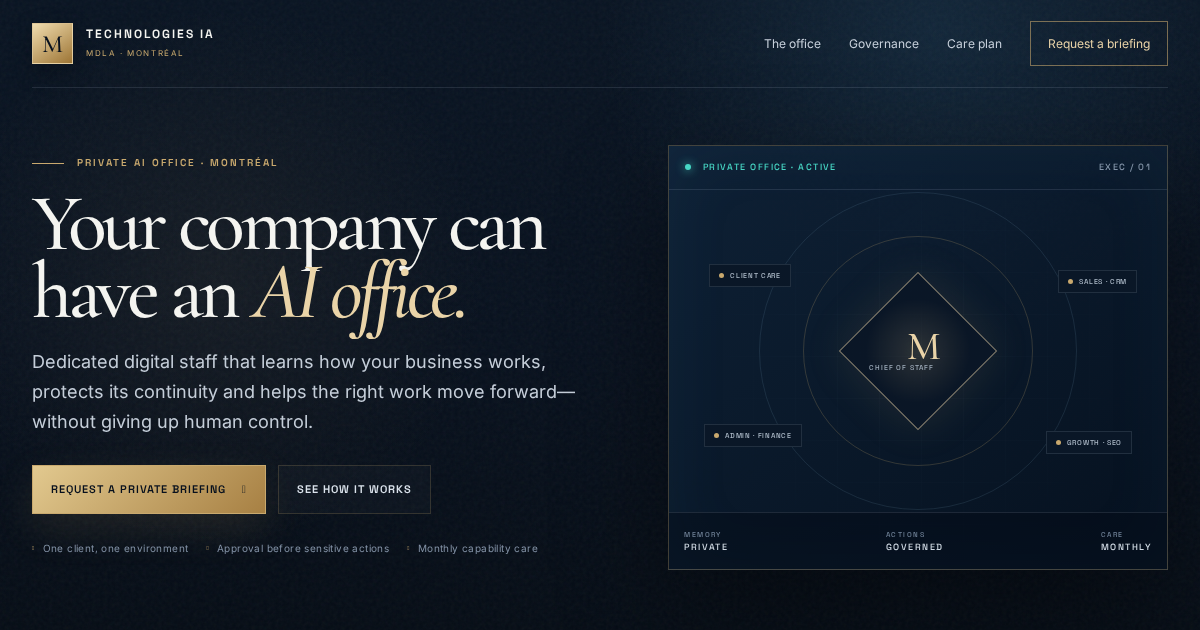
- AI Chief of Staff: coordinates the specialised roles and gives leadership one clear operating view.
This structure matters. A single assistant with unlimited scope becomes hard to govern and difficult to evaluate. Department mandates make permissions, expectations and results easier to see.
The company keeps its operating memory.
The strongest commercial value may not be speed. It may be the ability to keep useful context alive across projects, seasons and staff changes.
A private office can maintain an approved knowledge layer containing service details, current priorities, client communication standards, workflows, decision histories and instructions. Good memory management also includes correction, expiry, source tracking and human review. Persistent does not mean uncontrolled.
Documented procedures, recoverable backups, activity records, a protected secrets vault, permission reviews and a practical way to export company data if the engagement ends.
Human approval belongs at the point of consequence.
There is a meaningful difference between preparing an invoice and issuing it, drafting a client reply and sending it, or identifying an expired page and deleting it. A serious AI office treats that boundary as part of the system.
Businesses can set explicit approval gates for actions such as:
- sending external email or client messages;
- publishing or removing public content;
- issuing invoices, refunds or payment instructions;
- changing customer, accounting or legal records;
- deleting files, mail or business data;
- granting credentials or expanding permissions.
This is not a limitation to hide. It is what allows useful automation to operate without asking leadership to surrender judgment.
The care plan is where capability compounds.
Business processes change. Email providers update. Team roles move. A workflow that was useful three months ago may need a new approval or an additional integration. Private AI should be managed as an operating capability, not installed once and forgotten.
An ongoing care plan can cover monitoring, updates, verified backups, knowledge-quality review, permission audits, recovery tests, outcome reporting and new workflows according to the plan. The assistant gets more useful because improvements follow observed work—not because features are added at random.
Start with one department and one costly bottleneck.
Buying several servers before the first workflow is proven gets the order wrong. Begin with an AI Business Systems Audit. Map where valuable work is delayed, repeated, lost or dependent on one overloaded person. Then choose one role with clear inputs, outputs, permissions and measures.
- Identify a recurring operational bottleneck.
- Define the assistant’s mandate and forbidden actions.
- Connect only the systems needed for that role.
- Run with human review and keep an activity record.
- Measure response time, work completed, errors caught and hours recovered.
- Expand only after the first role is stable.
Private AI Office · Technologies IA
See the operating model.
Explore the dedicated service page, then request a private briefing to map the first assistant around your actual business.
Explore Private AI Office